How Old Do I Look?
An AI age guess from your photo.
Drag & drop a photo here
Front-facing · eye level · neutral face · good light
Uploaded only when you tap Analyze · deleted within 24 hours
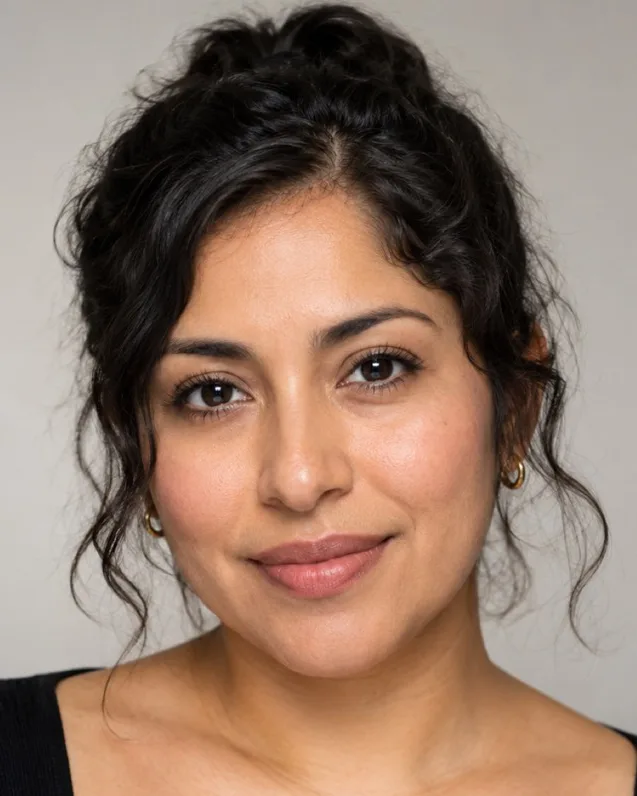
AI-generated sample face · real measurements
Sample result
7.0 / 10
Attractive
- Eyes98
- Symmetry80
- Golden Ratio97
- Jawline92
- Facial Thirds82
For adults 18+, for entertainment and self-improvement. Scores reflect geometry in one photo, not your worth. Terms
How it works
- 1Upload a photoUse a clear, front-facing photo in natural light. Adults 18+ only.
- 2AI analyzes itYour photo is sent to our server for this one analysis and deleted afterwards.
- 3Get your how old do i look resultSee the summary free; the detailed breakdown is a one-time credit cost.
This AI age guesser estimates your perceived age — the age a stranger would most likely guess — from one clear photo. You get a number, a likely range and the age your eyes, forehead, mouth area, midface, jawline and skin each read; the details explain what adds or takes off years.
How old do I look? What the age guesser tells you
This age guesser tells you your perceived age: the age a stranger would most likely guess from your photo, not the age on your ID. You get one headline number, a likely range (for example "most people would guess 27–32") and a short summary of what in the photo pushes the guess up or down.
It also reads each part of your face on its own. Your eyes, forehead, mouth area, midface, jawline and skin each get their own age, with a note on why. Faces rarely age evenly, so it is common for the eye area to read a few years older than the jawline, or for skin to read younger than the rest. Seeing the split is more useful than a single number, because it shows where the years come from.
How does AI guess your age from a photo?
An AI vision model looks at the same visual cues people use when they guess someone's age, and writes down what it sees. There is no birth date, database lookup or face matching involved, just one photo read as a visual impression.
The cues it weighs include:
- Skin: texture, fine lines, evenness of tone and sun spots.
- Eye area: under-eye hollows or puffiness, lid fullness and lines at the outer corners.
- Facial volume: fullness in the cheeks and midface, which changes with age.
- Jawline and neck: how sharp the jaw edge reads and how the chin meets the neck.
- Hair, brows and grooming: hairline, colour, facial hair and style all shift the impression.
Because it judges a photo rather than a person, the same face can read differently in different photos. That is why the result comes with a range and photo-specific notes.
Perceived age vs real age vs biological age
Perceived age is how old you look; real (chronological) age is how long you have been alive; biological age is a health estimate made from things like blood tests and fitness measures. This tool only measures the first one.
A photo cannot tell your biological age, and a younger-looking result is not a health verdict. What perceived age does reflect is how your face comes across to other people — in a profile picture, a job interview or a first meeting — and that is something you can change with hair, grooming, skin care and better photos.
Why do I look older (or younger) in photos?
Lighting and camera distance change apparent age more than most people expect. A few common causes:
- Overhead light drops shadows under the eyes and along the nose-to-mouth lines, which reads older. Soft light from the front fills those shadows in.
- A phone held close exaggerates the centre of the face and changes proportions. Arm's length or further is closer to how people see you.
- Looking down at the camera folds the skin under the chin; looking slightly up or straight ahead does not.
- Expression: a big smile adds lines around the eyes, while a tense neutral face can look tired.
- Filters and beauty modes smooth skin and can make you read much younger than you do in person.
If two of your photos get very different ages, the photo is usually the reason, not your face.
How to get the most accurate age guess
- Use a recent, unfiltered photo with beauty mode switched off.
- Face daylight from a window, with no hard shadows across the face.
- Hold the camera at eye level, at arm's length, and look straight into the lens.
- Keep a relaxed, neutral expression and pull hair back from your forehead if you can.
- Only you in the frame. The AI declines photos with several prominent faces.
The tool is for adults 18 and over. If the AI thinks a photo could show someone under 18, it gives no result. Running the same photo through the tool again shows the stored result rather than a fresh guess, so the number does not change by re-rolling.
How to look younger — or older
The detailed result turns your read into specific advice for your photo: what makes you read younger, what adds years, hair and grooming changes, and skin care basics. The general levers are well known:
- Daily sunscreen: sun exposure is one of the main drivers of visible skin ageing, so SPF is the first basic in any routine.
- Hair and brows: a current cut, groomed brows and, for men, a trimmed or shaped beard often change the impression fastest.
- Sleep and hydration show up around the eyes.
- Colour near the face: shades that suit your colouring make skin look brighter. Our color analysis finds yours.
Want to look older, for example to be taken more seriously at work? Facial hair, a more structured haircut, defined brows and darker, tailored clothing usually push perceived age up.
For a closer look at texture, tone and under-eyes, try the AI skin analysis; for a ranked list of changes across hair, skin and style, take the glow up test.
Is this age guesser free?
Yes. Your perceived age, the likely range, the summary and half of the face-area ages are free. The full details — the remaining area ages and the sections on what adds years, how to look younger with hair, grooming and skin care, and photo tips — cost 20 credits, one time. Credits never expire and there is no subscription. Free analyses are limited per device per day.
Your photo is only uploaded after you tap Analyze. It is read by an AI vision model for this one analysis, deleted within 24 hours and never used for training.
Frequently asked questions
How old do I look?
Upload a clear photo and the AI estimates your perceived age — the age a stranger would most likely guess — as one number with a likely range. It also gives the age your eyes, forehead, mouth area, midface, jawline and skin each read, with a note on why.
How accurate is an AI age guess?
It is an estimate of how old you look in that photo, not your real age. Lighting, camera distance, expression and filters can move the guess by several years, which is why the result gives a range. For the fairest read, use an unfiltered photo in daylight, at eye level and arm's length.
Why do I look older in photos than in the mirror?
Overhead light casts shadows under the eyes and around the mouth, a phone held close distorts the centre of the face, and looking down folds skin under the chin. Soft front light, the camera at eye level and some distance usually make you read younger.
Can this tell my biological age?
No. Biological age is a health estimate based on things like blood tests and fitness measures. This tool only estimates perceived age — how old your face looks in a photo.
How can I look younger in photos?
Use soft daylight from the front, hold the camera at eye level and arm's length, and keep a relaxed expression. Beyond photos, daily sunscreen, a current haircut, groomed brows and sleep make the most visible difference. The full details list what adds years in your photo and what to change.
Is the How Old Do I Look test free?
Yes. Your perceived age, range, summary and half of the face-area ages are free. The full details cost 20 credits, one time — no subscription, and credits never expire. Free analyses are limited per device per day.
Can I use it if I am under 18?
No. The tool is for adults 18 and over. If the AI thinks a photo could show someone under 18, it gives no result.
Will I get a different result if I run the same photo again?
No. If you run the same photo through the same tool again, you see the stored result rather than a new guess, so it cannot be re-rolled. A different photo gets a fresh analysis, and lighting, angle and expression can change the result.
Do you upload or store my photo?
Only when you tap Analyze. This tool needs AI vision, so your photo is uploaded and read by an AI model for this one analysis, deleted within 24 hours and never used for training. The measurement tools on this site, such as the face shape detector, run in your browser and do not upload your photo.